


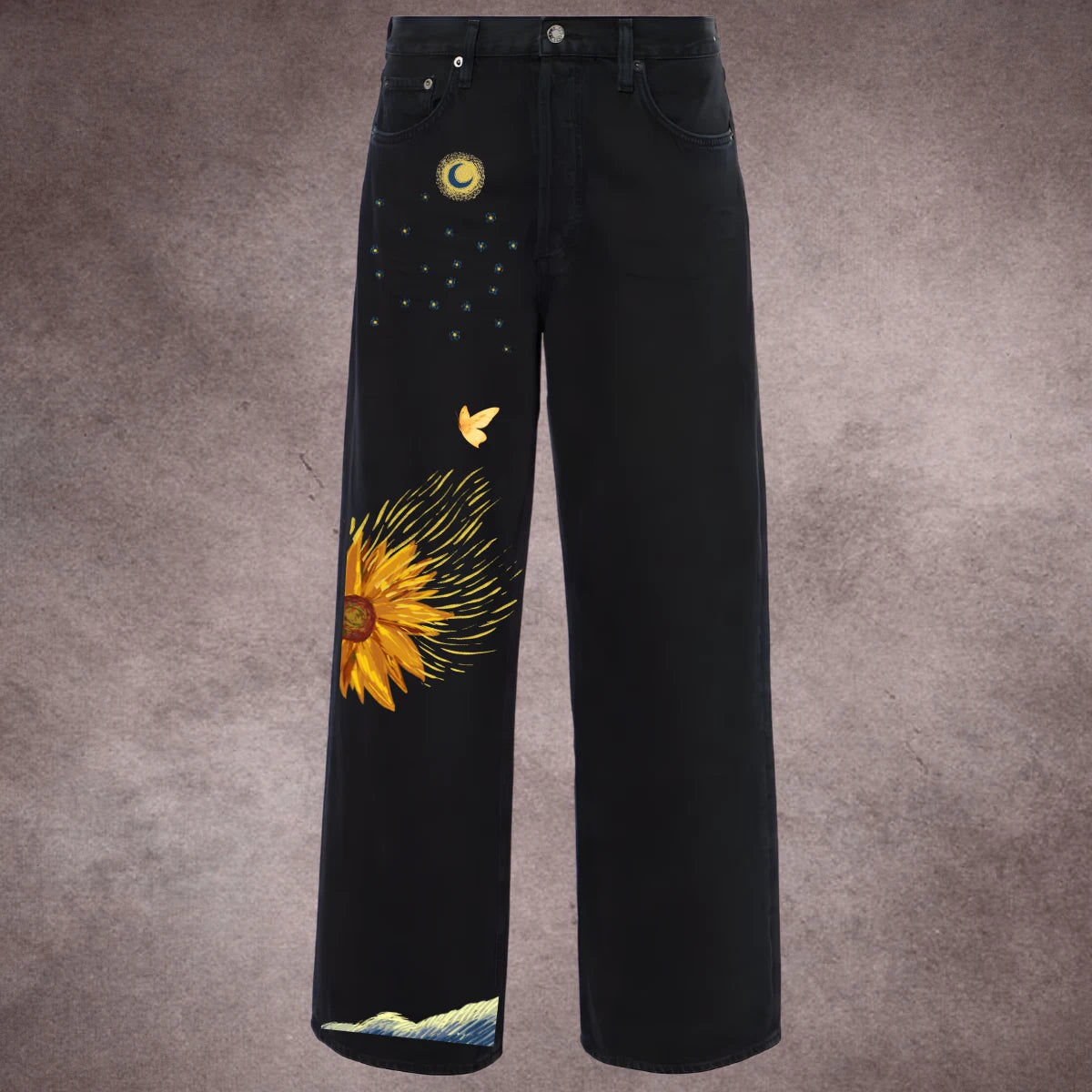
Celestial Bloom | Upgrade Pack | Iron-On Patch Set
Celestial Bloom | Upgrade Pack | Iron-On Patch Set
 Make your denim stand out
 Iron on patches. Instant upgrade.
 Stays strong for 25-30 washes


Includes patch(es) only. Other products shown are not included.
Free Shipping and CoD available
Couldn't load pickup availability
Customer Reviews
Real Customers, Real Patches
Photos from people who bought this
Video Reviews
Real Customer Photos


Dispatched in 1 week
Order placed
10 Sep
Dispatched
16 Sep - 20 Sep
Delivered
20 Sep - 26 Sep
Free shipping on all orders
Spend ₹400 and get a free tote bag worth ₹199
Spend ₹600 and get 2 free gifts worth ₹429
Spend ₹800 and get 3 free gifts worth ₹659
How to use ⬇️
How many Patches will be there?
You’ll receive all the designs shown in the image section. Some of the smaller designs may come combined in a single patch, which you can easily cut and use individually as needed.
What is the size of each design?
Sizes vary on the design aspect ratio. A rough estimate of sizes of big (individual or cluster of small designs) and small patches is mentioned in product images.
Can I trim the patches as per my need?
Yes, there is enough margin between every 2 designs for you to cut and place as per your requirement
How to apply?
- Remove wrinkles from the area where you want to transfer the patch
- Place the patch on the wrinkle free area
- Iron for 10-30 seconds on low-medium heat settings. Iron repeatedly if fabric is thick like denim.
- Let it cool to room temperature → Peel film slowly
- Put film back on the transferred patch → Iron again for 10 sec to lock the patch in the fabric
- Follow wash instructions
Can I use this patch to cover a stain or mark?
Yes! Hot Sticks are great for hiding stains. Just note - some designs aren’t 100% opaque, so a faint shadow of the stain might still peek through. But they’ll still do an awesome job of distracting the eye and making your outfit look fresh again.
What fabrics can I use them on?
Best results on cotton, cotton blends, denim, canvas, and most woven fabrics. Avoid leather, silk, polyester blends with heat sensitivity, or stretchy lycra/spandex.
What temperature should I set my iron to?
Set to medium-high (around 160–170°C) or the “cotton” setting on most irons. No steam.
How long should I heat it?
Press for 10–30 seconds with firm pressure, then check edges. If needed, re-press for a few seconds.
Should I Iron directly on the design?
Nope — always use a thin cotton cloth or baking paper between the patch and the iron to protect the print.
Can I use a heat press instead of an iron?
Absolutely — set it to 160°C for 10–12 seconds with medium pressure.

FAQs ⬇️
How do I wash clothes with the print?
Turn inside out, use cold or mild wash, and avoid harsh detergents or bleach
Can I tumble dry clothes with the patch?
Not recommended. Air dry for longer life of the patch.
Will the patch peel off over time?
If applied properly, it should last 15–20 washes.
What if my patch starts peeling or looking worn after a few washes?
You can’t revive the old one with heat. Simply buy a fresh sticker and press it on the same spot (even over the old one).
Can I remove a patch once applied?
No, a patch printed once cannot be removed
-
Secret Garden | Upgrade Pack
Iron-on PatchRegular price Rs. 349.00Regular priceUnit price perRs. 999.00Sale price Rs. 349.00Sale -
Dark Sigil | Upgrade Pack
Iron-on PatchRegular price Rs. 399.00Regular priceUnit price perRs. 999.00Sale price Rs. 399.00Sale -
 Sale
SaleRosey | Upgrade Pack
Iron-on PatchRegular price Rs. 309.00Regular priceUnit price perRs. 999.00Sale price Rs. 309.00Sale -
Celestial Bloom | Upgrade Pack
Iron-on PatchRegular price Rs. 349.00Regular priceUnit price perRs. 999.00Sale price Rs. 349.00Sale


